Script
Add Number Counter.
Turn text into an animatable number counter.
What it does
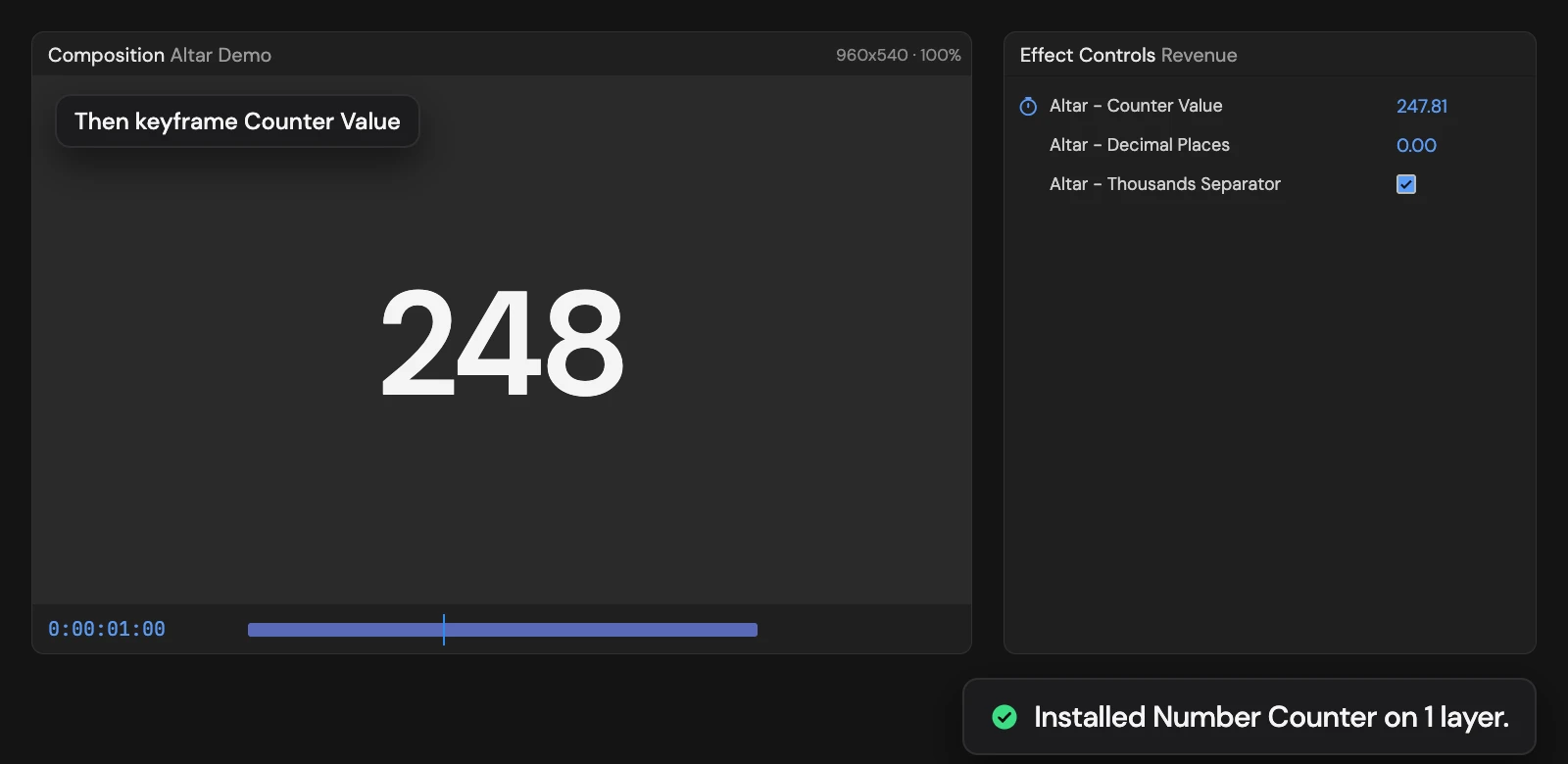
Turns each selected text layer into a number driven by a Counter Value slider, starting from the number it shows. Decimal Places and Thousands Separator set the format; keyframe Counter Value to make it count. With nothing selected, it creates a counter layer showing 1,000.
Controls
- Click: Install Number Counter
Details
- Category: Text Tools
- Kind: Script
- Also searched as: text, number, counter, numeric, format
Guide
Use it
Select one or more text layers that show a number and click Add Number Counter. With nothing selected, Altar creates a new text layer, Number Counter, showing 1,000.
The text is now driven by three controls in Effect Controls:
- Altar - Counter Value is the number shown. It starts at the number the layer showed (commas are ignored; text that is not a number starts at 0). Keyframe it to count up or down.
- Altar - Decimal Places (0) sets how many decimals to show. The value is rounded to fit.
- Altar - Thousands Separator (on) groups the digits with commas: 1,250,000.
Good to know
- Add a prefix or suffix, such as a currency sign or %, with a separate text layer; the counter replaces the whole text.
- Your font, size and colour stay as they are.
- Every selected layer must be a text layer, or nothing changes.
- Adding it again replaces the controls with fresh ones. One Undo removes the counter.