Create Camera Rig.
Build a controllable 3D camera rig.
What it does
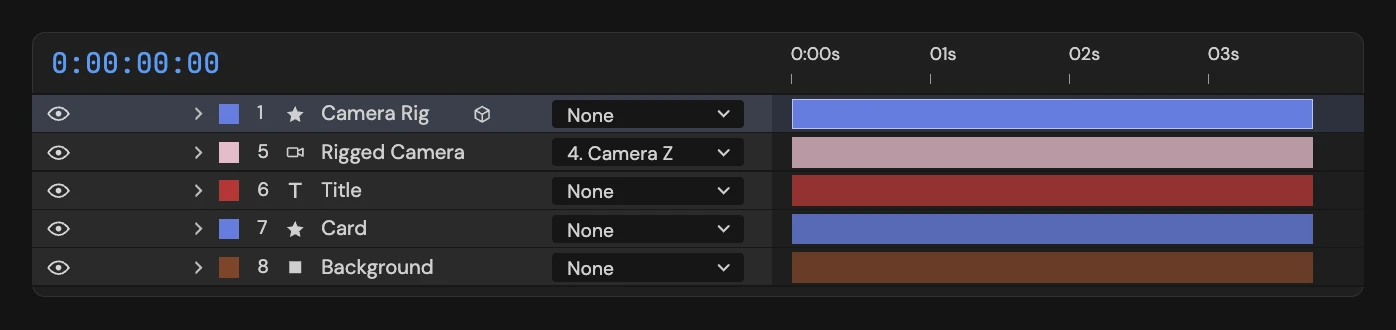
Adds a camera rig to the active composition: a “Camera Rig” control layer and a “Rigged Camera”, joined by three hidden X/Y/Z gimbal layers and wired by expressions. Drive the whole shot from the Camera Rig effect: rotation, position, dolly, zoom, depth of field, focus target, auto-motion and wiggle. The gimbals are shy, so the rig turns on Hide Shy Layers. Depth of field needs the Classic 3D renderer; on Advanced 3D the rig still builds and warns that focus won’t work.
Controls
- Click: Build a camera rig in the active comp
Details
- Category: Composition Tools
- Kind: Script
- Also searched as: composition, comp, camera, rig, 3d, dof, depth of field, orbit, dolly, focus
Guide
Build the rig
- Open the composition.
- Click Create Camera Rig.
Five layers are added: Camera Rig, the three gimbals Camera X, Camera Y and Camera Z, and Rigged Camera, which is parented through the gimbals. They are wired together with expressions. The gimbals are shy layers, and the rig turns on Hide Shy Layers in the comp so you only see the Camera Rig and the camera. Other shy layers in the comp are hidden too; switch the timeline toggle off to see them.
Drive the shot
The Camera Rig layer is selected when the rig is built. Use its Camera Rig effect in the Effect Controls for rotation and rotation speed, position, dolly distance, zoom and field of view, a focus target, depth of field, automatic motion and wiggle. Keyframe those controls rather than the camera itself.
Things to know
- A comp can hold one rig. If a layer named Camera Rig, Camera X, Camera Y, Camera Z or Rigged Camera already exists, nothing is built.
- Depth of field needs the Classic 3D renderer. On Advanced 3D the rig still builds and warns you that focus won’t work.
Building the rig is a single undo step.