Add Guides Around Bounds.
Frame layers or the comp with guides.
What it does
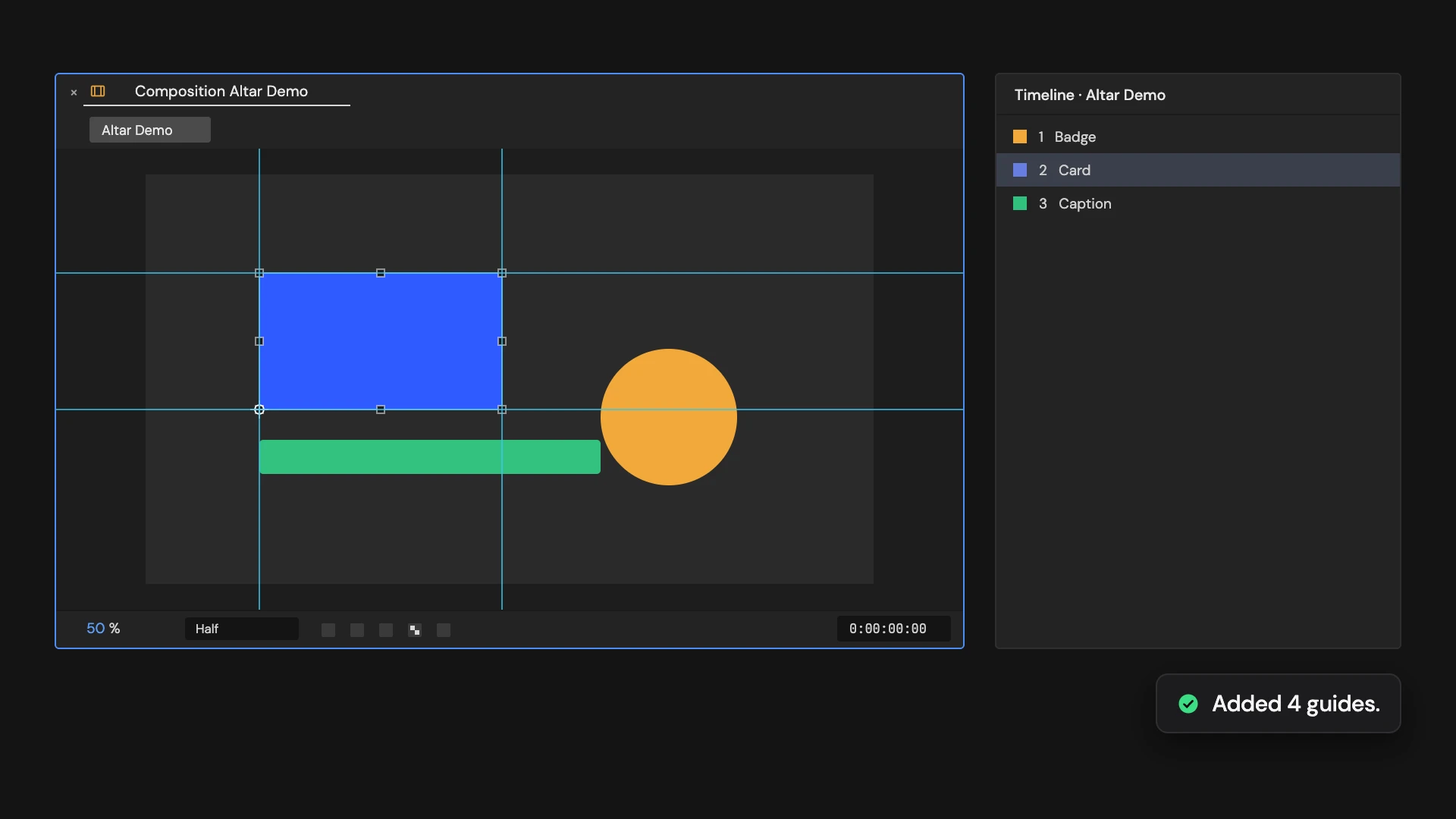
Adds a guide along the left, right, top and bottom edge of each selected layer, following its scale, rotation, parenting and 3D position at the current time. With no layers selected, it frames the comp. It also turns on guides and Snap to Guides in the viewer. Cameras and lights are skipped.
Controls
- Click: Add guides around bounds
Details
- Category: Guide Tools
- Kind: Script
- Also searched as: guides, around, bounds, frame
Guide
Frame a layer
Select one or more layers and click Add Guides Around Bounds. Each layer gets four guides: one along its left edge, its right edge, its top and its bottom. With nothing selected, the guides frame the comp instead.
The edges follow what you see in the viewer at the current time: scale, rotation, parenting and a 3D layer’s position through the camera are all taken into account. A rotated layer is framed by the box around it.
Good to know
- Guides are turned on and Snap to Guides is switched on, so you can snap to them right away.
- The bounds are the layer’s content, without effects or the width of a shape’s stroke.
- Cameras and lights are skipped.
- Each layer gets its own guides, and running it again adds another set. One Undo removes the latest guides; Clear All Guides removes them all.